

Djanovexarex
Free Suite
Share
📄 Digital file available after purchase
🗂️ Long-term availability
🔐 Secure checkout
📅 Content updated in 2026
View full details


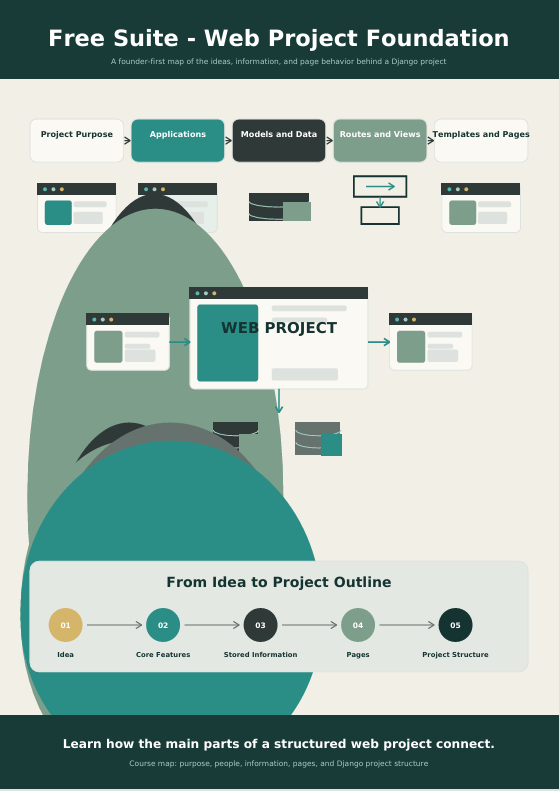
A Clear Starting Point for Founder-Led Web Project
A web idea may begin with notes, sketches, feature lists, page ideas, and questions about how the project should work. These ideas can be useful, but they do not yet explain how the technical parts should connect.
Free Suite helps learners organize this early stage. Instead of beginning with a large amount of code, the course introduces the structure behind a Django project and connects each technical term with a practical founder decision.
Learners examine questions such as:
- What is the main purpose of the project?
- Who will use it?
- Which actions should users complete?
- What information should the project store?
- Which pages are required?
- How do routes, views, models, and templates work together?
- Which ideas belong in the first project stage?
- Which ideas can be recorded for later development?
The aim is to create a clearer project outline that can support later learning and planning.
Module 1 — Define the Project Purpose
Begin by describing what the web project is intended to do and who it is intended to support.
You will review the difference between a broad idea and a focused project purpose. The module introduces a simple method for writing a short purpose statement that can guide later feature and page decisions.
Module 2 — Understand Projects and Applications
Learn how a Django project can be divided into smaller applications with clear responsibilities.
A project may contain areas for accounts, content, bookings, requests, messages, or dashboards. This module explains why these areas should be organized instead of placed into one large section.
Module 3 — Identify Models and Stored Information
Explore how a web project stores information and how different records may relate to one another.
You will examine sample records such as users, profiles, requests, categories, comments, and status updates. The focus is on understanding what information the project needs rather than defining every technical setting.
Module 4 — Connect Routes and Views
Understand how a user reaches a page and how the project decides what information or action should appear there.
This module introduces routes and views using simple project examples. It explains how one page address connects with the logic that prepares a response.
Module 5 — Plan Templates and Pages
Learn how templates display project information and how pages can be organized around defined user needs.
You will create a simple page inventory and identify the purpose, audience, information, and main action for each page.
Module 6 — Map the User Journey
Bring the earlier topics together by tracing how a user moves through a small Django project.
The journey may begin with account creation, continue through a form submission, and end with a dashboard or record-detail page.
Module 7 — Organize Core and Later Features
Not every feature needs to be included in the first project stage.
This module introduces a practical method for separating core requirements from optional ideas. Learners review how feature priorities affect pages, information, user roles, and development stages.
Module 8 — Build a Founder Project Outline
The final module combines the course topics into one structured project outline.
Learners document the project purpose, users, applications, records, pages, and main user journey. This outline becomes a reference for the next learning stage.